Reviewer
Settings
Tenki Code Reviewer exposes a small set of configuration options to control when it runs and how much signal it produces.
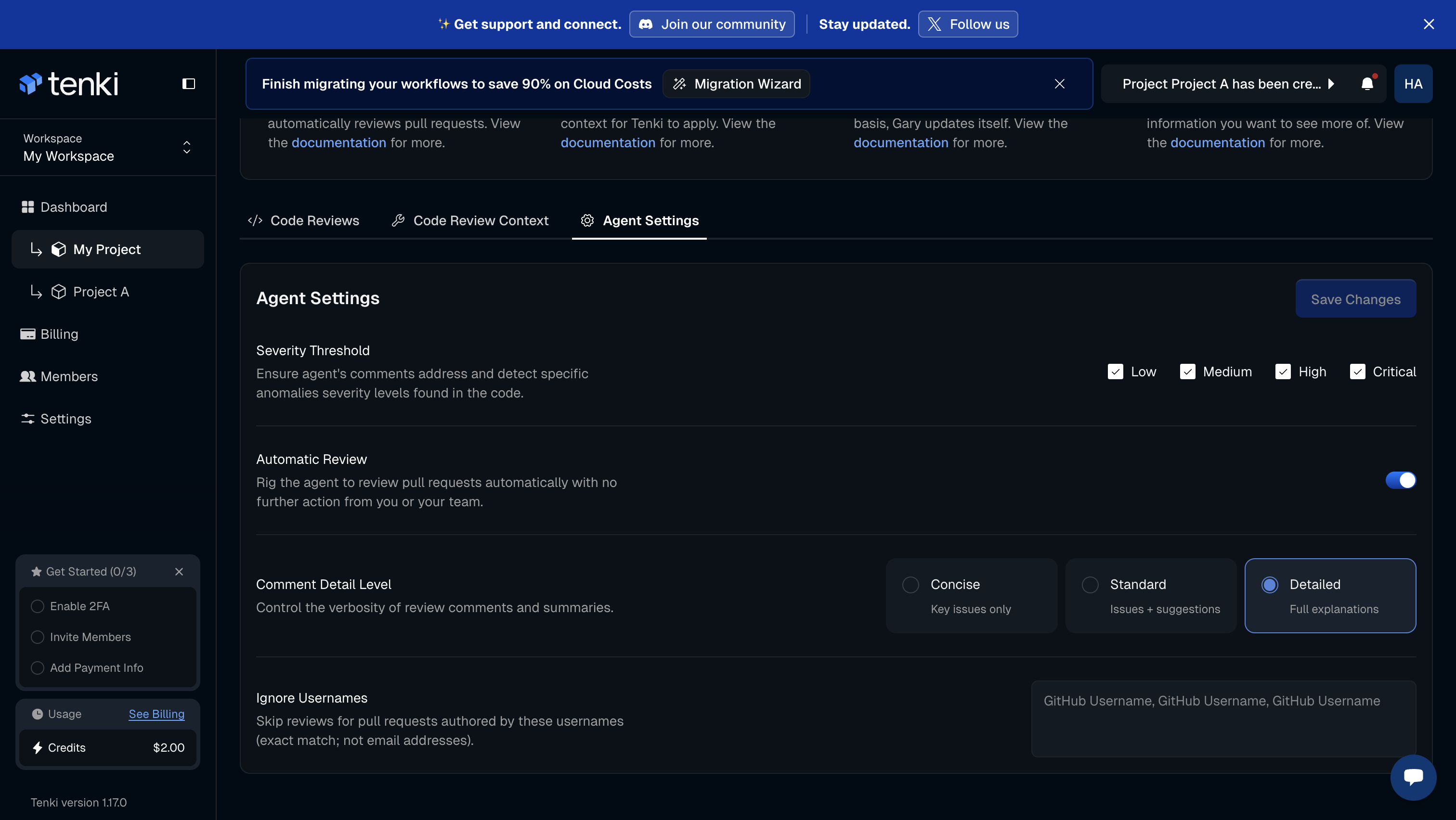
Severity Threshold:
Controls which findings are surfaced in the review.
You can choose to include the following severity levels:
- High
- Medium
- Low
By default, only High severity findings are enabled.
Enabling additional levels will surface more detailed and verbose feedback, including non-blocking issues and minor observations.
Use this when:
- You want minimal, merge-blocking signal (High only)
- You want broader coverage during audits, refactors, or hardening phases
Automatic Review
Controls when the agent runs on a Pull Request.
Available modes:
- On: runs on every PR update
- Off: runs only when the agent is explicitly mentioned or tagged in the PR
Comment Detail Level
Controls the level of verbosity of the review.
Available modes:
- Concise: A brief overview of the vulnerabilities.
- Standard: The default option; provides a few sentences with enough detail about the issues or vulnerabilities detected.
- Detailed: The most comprehensive option; offers in-depth information about each issue or vulnerability found.
Ignore Usernames
Allows excluding specific authors from automated reviews.
You can add one or more GitHub usernames to prevent Gary from running on PRs created by those users.
Common use cases:
- Bot or automation accounts
- Experimental or sandbox contributors
- Temporary exclusions during testing